


Word Weekend Letters & Worlds
4.9218.00 Reviews
App Specs
- Version
- 1.3.5
- Updated On
- License
- Free
- Downloads
- 5,000,000+
- Developer
- Brightika, Inc.
- Categories
- Word
- Platform
- Android
Screenshots
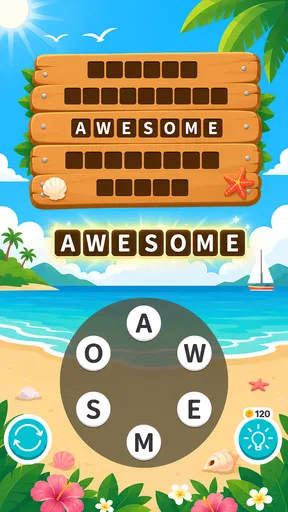
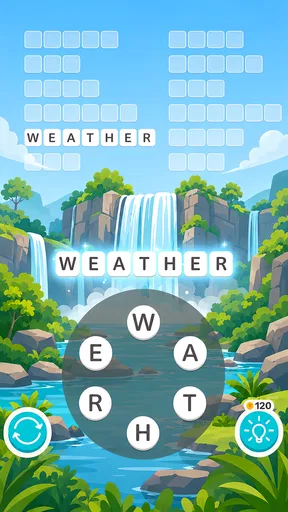
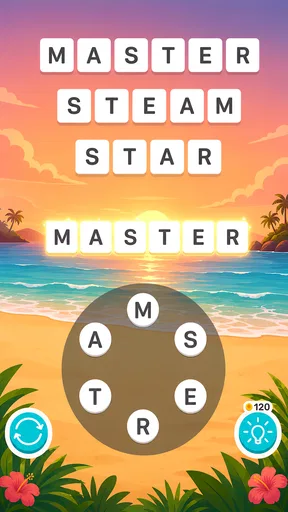
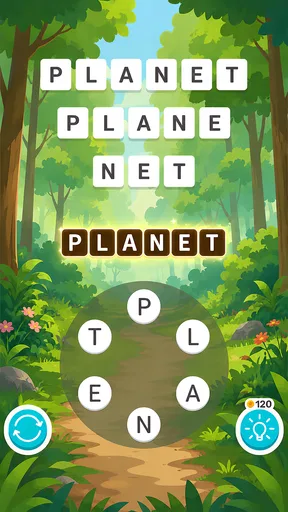
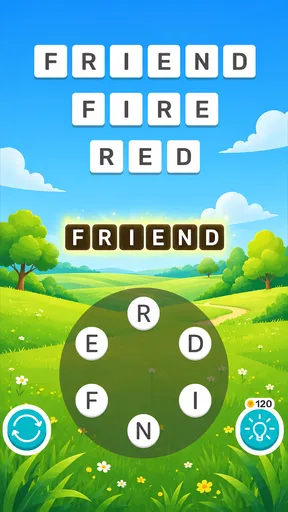
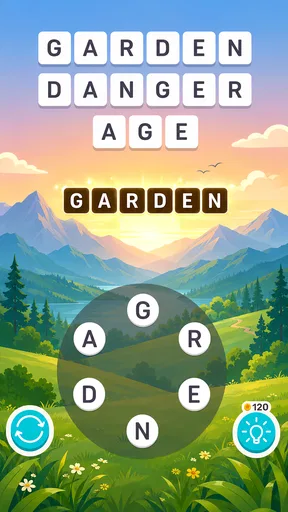
 Analysis by AppCompare
Word Weekend Letters & Worlds is the kind of word game I reach for when I want a quiet break rather than a demanding gaming session. Its basic promise is simple: solve words, move through the available challenges, and keep your attention on letters instead of complicated controls. That straightforward approach makes it easy to understand, but it also means the experience depends heavily on whether you enjoy repeated vocabulary puzzles and a steady, unhurried pace.
I spent time looking at it as both a casual pastime and a game for regular short sessions. The result is a pleasant option for people who like word discovery, though not one I would recommend to everyone. It works best when you want something familiar enough to start immediately, yet engaging enough to make you pause over a difficult answer.
What makes the word-game format appealing
The game belongs firmly in the word puzzle category, and Brightika, Inc. keeps the central interaction focused on guessing words. That focus is useful because there is very little to learn before playing. You do not need to study a long tutorial or master a complicated control scheme. The challenge comes from recognizing possible words, testing your vocabulary, and noticing patterns that are easy to overlook at first.
In my experience, the best moments arrive when a puzzle seems almost empty of possibilities and one small change in perspective reveals the answer. I might begin by looking for a familiar short word, then notice that the remaining letters support a longer solution. That process gives the game a gentle mental rhythm: try, reconsider, and confirm. It is more relaxing than a timed arcade game, but it still gives me a reason to stay focused.
The “weekend” identity also suits the way I naturally use it. I can play for a few minutes while waiting for an appointment, return later, or settle into a longer session at home. It does not demand that every play session become a major commitment. For a parent looking for a low-noise activity, a commuter with spare time, or anyone who enjoys vocabulary games before bed, that flexibility is a real advantage.
At the same time, the simple concept creates a clear limitation. If you expect a word adventure with a deep story, elaborate character development, or a broad collection of unrelated mini-games, this is probably not the right download. Its appeal is concentrated in the act of solving words. I see that as a strength when I want a clean puzzle experience, but it can feel narrow if I am looking for constant novelty.
Where players are most likely to get stuck
The first obstacle is not always a difficult word. Sometimes it is the player’s assumption that the answer must be the most obvious combination of letters. When I get stuck, I try to stop searching for a single familiar word and instead inspect the whole arrangement. Short answers can be easy to miss because I am mentally committed to finding something longer, while an unusual but valid word may not appear in my first few guesses.
Worth Reading Before You Choose

EA SPORTS FC Mobile 26 Is a Bigger Football Game, but It Takes Time

Flipboard Shows What News Apps Must Do Beyond the Feed

Switching to Android Auto Means Rethinking Your Driving Routine

Google Calendar Makes a Crowded Week Easier to Manage

Ludo King Makes the Most of the Minutes Between Plans

Baby Panda World Brings Quick Play to Modern Phones, but Its Game Library Feels Busy
Another common source of friction is playing too quickly. Word puzzles reward a brief pause more than frantic tapping. I find it helpful to read the available letters from left to right, then reverse the order mentally and look for common beginnings or endings. This is not a special feature or a hidden mode; it is simply a better way to use the game’s central challenge.
When an answer is rejected, I do not immediately assume the game is broken. I first check whether I entered every letter correctly and whether I accidentally added a space or skipped a character. On a small phone screen, a rushed tap can create the impression that the puzzle failed to recognize a solution. Slowing down for one attempt often tells me whether the problem is my input or the puzzle itself.
Players should also expect vocabulary gaps. A word that feels completely natural to one person may be unfamiliar to another, especially when English is not their first language. That can make progress uneven. I enjoy this because it occasionally teaches me something new, but someone who dislikes encountering unfamiliar vocabulary may find the experience frustrating rather than rewarding.
Simple setup checks before blaming the game
Word Weekend Letters & Worlds is free to start, which lowers the barrier to trying it. It is suitable for Everyone, and the listed minimum operating system is Android 7.0. Before installing on an older phone or tablet, I would check the device’s Android version and available storage. These are ordinary checks, but they prevent a surprising amount of frustration when an installation or update does not behave as expected.
The current version is 1.3.5. If the game opens but behaves strangely after an update, I would begin with the least disruptive steps: close it fully, reopen it, and restart the device if necessary. I would avoid deleting the app immediately, especially if I care about local progress and have not checked how the device handles saved game information. Reinstalling can be useful in some cases, but it should be a later step rather than the first reaction.
A stable connection can also matter during installation, updates, or any part of the experience that needs to load information. If the game is stuck on a loading screen, I would switch between a reliable Wi-Fi connection and mobile data, then try again. I would also check whether other apps are downloading or updating at the same time. That does not prove the game is responsible for the delay; it simply removes common sources of interference.
The game has attracted a 4.9 average from around 64 thousand ratings and has passed 5 million installs, which suggests that many people find the basic experience dependable and enjoyable. Those figures are encouraging, but they should not replace a device-specific check. A popular game can still run differently on an older phone, a nearly full device, or a connection that is unstable at the moment.
There are in-app purchases ranging from $1.99 to $48.99 per item. I would treat the free entry point as a chance to decide whether the puzzle style suits me before spending anything. If you are handing the phone to a child, it is sensible to review the device’s purchase protections first. The Everyone age rating describes the game’s content, but it does not remove the need for normal care around purchases.
Recovering a session when progress or input feels wrong
My preferred recovery routine is deliberately cautious. First, I leave the current puzzle and return to it once, because a temporary display or input hiccup can clear without any drastic action. Next, I close other demanding apps and reopen the game. If the issue continues, I restart the phone. These steps are boring, but they are safer than immediately clearing storage or reinstalling.
If the letters appear unresponsive, I check the touchscreen outside the game. Testing another app helps separate a game-specific issue from a broader screen problem. A thick screen protector, moisture, or a finger landing between buttons can make word entry feel unreliable. Cleaning the screen and tapping more deliberately may solve what first looked like a software fault.
When a puzzle seems to reset, I would first confirm whether I actually left it unfinished or accidentally started another session. I would also avoid repeatedly switching between apps while the game is loading. Phones with limited available memory may close background apps, and that can make a return feel less smooth. The sensible approach is to observe exactly what changed before taking action that might remove local information.
I also recommend keeping expectations realistic about purchases. If a paid item does not appear immediately, I would wait briefly, confirm that the transaction completed through the device’s normal purchase system, and reopen the game. I would not buy the same item repeatedly just because the screen has not refreshed. That is a general digital-purchase precaution, but it is especially important in any free game that offers optional items.
For a word game, recovery is also mental. When I have been staring at one puzzle for too long, I stop rather than guessing randomly. A short break changes how I see the letters when I return. I often notice a familiar word ending or a smaller answer that I had ignored. This is one of the most useful habits for the game because it improves progress without depending on hints, purchases, or outside tools.
When the app is not the cause of the problem
Some complaints are really about the surrounding device. A phone with very little free space may struggle to install updates or keep several apps active. An outdated operating system can create compatibility trouble even when the game itself is functioning normally. Weak connectivity can interrupt loading, while aggressive battery-saving settings may limit background activity. Checking these conditions first gives a clearer picture than simply rating the game poorly after one failed attempt.
The same distinction applies to performance. If every other app is slow, the issue is unlikely to be unique to Word Weekend Letters & Worlds. I would restart the device, close unused apps, and make sure the operating system is behaving normally. If only this game has trouble, then reinstalling or seeking help becomes more reasonable, but I would still protect any progress I value before removing it.
Input problems can be especially misleading on compact screens. A player may think a word was rejected when a letter was never registered, or may tap close to a control without activating it. Turning the phone, if the interface supports the device’s orientation, can sometimes make the layout easier to read, but I would not assume every phone presents the game identically. The practical lesson is to distinguish an incorrect answer from an incomplete tap.
There is also a personal factor: fatigue. Word games can feel unfair when I am tired, distracted, or trying to play while someone is talking to me. In those moments, I make more input mistakes and overlook obvious combinations. I would not use one poor session as evidence that the game is defective. A quieter setting and a slower pace usually provide a more accurate impression.
How it compares with familiar alternatives
Compared with a daily word challenge, this game is better suited to players who want more than one brief attempt and prefer to continue at their own pace. A daily format can create a satisfying routine, but it also limits the amount of play available at a particular moment. Here, the attraction is the ability to return whenever I have time and keep working through word-focused challenges.
Compared with crossword puzzles, the experience asks for a different kind of knowledge. Crosswords use clues, intersecting answers, and a broader range of general information. Word Weekend Letters & Worlds puts more emphasis on manipulating or recognizing letters directly. I would choose it when I want less reading and fewer layers of clue interpretation. I would choose a crossword instead when I enjoy trivia, clues, and the satisfaction of building a connected grid.
Compared with competitive word games, it feels less socially demanding. There is no need for me to perform in front of another player or worry about a live opponent’s speed. That makes it a good choice for winding down, but it also means players seeking rivalry may find it too solitary. The right alternative depends on whether the main goal is calm concentration, learning, or competition.
One practical trade-off is monetization. The free price makes experimentation easy, while the listed optional purchases mean I should pay attention before confirming a transaction. I would not buy anything until I understood what problem it solves for my own play style. If I enjoy solving everything unaided, purchases may be unnecessary. If I value convenience, I would still set a personal spending limit instead of treating optional items as part of the basic requirement to play.
Who should try it, and who should skip it
I would recommend it to casual players who like vocabulary challenges, people who want a phone game that can be played in short bursts, and families looking for content rated Everyone. It is also a reasonable pick for someone returning to word games after a long break because the central idea is easy to grasp. The strongest audience is not necessarily expert puzzlers; it is people who enjoy the small satisfaction of finding the next answer.
I would be more cautious about recommending it to players who need a strong narrative, constant visual action, or a large variety of gameplay systems. It is also not ideal if you dislike being slowed by unfamiliar words or if you only enjoy puzzles with a clear clue for every answer. Players who want a social leaderboard or direct competition may prefer a multiplayer word title instead.
For language learners, the game can be useful as a light vocabulary exercise, but I would not treat every unfamiliar answer as a lesson without checking its meaning elsewhere. The game encourages recognition and recall, while a dedicated language-learning app usually offers pronunciation, definitions, and structured review. That makes this a pleasant supplement, not a replacement for serious language study.
My practical verdict after using it
Word Weekend Letters & Worlds succeeds because it understands the value of a focused word puzzle. Brightika, Inc. does not need a complicated premise for this format to work: the appeal comes from the pause before an answer, the relief of solving a stubborn arrangement, and the ability to play without preparing for a major session.
I would install it on a compatible Android device, test the free experience, and decide based on the actual rhythm of the puzzles rather than the high rating alone. If a screen or loading issue appears, I would start with connection, storage, operating-system, and restart checks before assuming the game is at fault. That small amount of troubleshooting is enough to avoid many false impressions.
My final recommendation is positive but selective. It is a good companion for quiet breaks and word-focused concentration, especially when I want something more active than reading but less intense than a competitive game. Its limitations are equally clear: the format can become repetitive, unfamiliar vocabulary may slow progress, and optional purchases require sensible attention. If those trade-offs fit what you want from a casual word game, Word Weekend Letters & Worlds is an easy one to try and a pleasant choice to keep for spare moments.
Pros
- Relaxed word puzzles suitable for short daily sessions.
- Large variety of levels helps keep gameplay feeling fresh.
- Simple controls make it accessible for most players.
- Offline play is useful when traveling or without a connection.
- Gentle pace makes it a good choice for casual players.
Cons
- Some puzzles may feel repetitive after extended play.
- Hints can make challenging levels less satisfying.
- Progress may depend on watching ads or using in-game currency.
- The game offers limited appeal for players seeking fast action.
- Difficulty balance may vary noticeably between different levels.
FAQs for Word Weekend Letters & Worlds
What is Word Weekend Letters & Worlds?
Word Weekend Letters & Worlds is a casual word puzzle game built around forming words from a limited selection of letters. As you progress, completed puzzles help you explore different themed locations and worlds. The game is designed for short, relaxing sessions, making it suitable for playing during a commute, a break, or whenever you want a simple mental challenge without complicated controls.
How do you play Word Weekend Letters & Worlds?
Each puzzle presents a group of letters that you must combine to discover valid words. You usually tap or swipe across the letters, depending on the device and game interface, and submit the words you find. Completing the required answers allows you to advance through the level. Extra words may also be accepted in some stages, giving the game an additional discovery element.
Can Word Weekend Letters & Worlds be played offline?
Many of the core word puzzles can generally be played without a continuous internet connection, which makes the game convenient for travel or areas with limited service. However, certain features may still require internet access, including advertisements, optional purchases, updates, cloud-related functions, or promotional content. It is best to launch the game online at least once after installation.
Is Word Weekend Letters & Worlds free to download?
Word Weekend Letters & Worlds is typically available as a free download, but the free version may be supported by advertisements and optional in-app purchases. Depending on the version installed, purchases can provide hints, remove ads, or offer other useful resources. Before confirming any transaction, check the store listing and the purchase details, especially if children use the device.
Is Word Weekend Letters & Worlds suitable for all ages?
The game is generally appropriate for players who enjoy vocabulary challenges and relaxed puzzle gameplay. Its difficulty can vary, and some later levels may require a broader vocabulary or more deliberate thinking. Younger players can benefit from practicing spelling and word recognition, although parents should review the app’s age rating, advertising, and in-app purchase settings before allowing independent play.


